Your session is complete and now it’s time to make selections! The total number of included images and method of ordering will vary depending on your session type. If you’re unsure what was included, this page breaks down each session type. Scroll down or click the links below for details on each sessions type:
- In Studio and Lifestyle Headshot Sessions
- Branding Sessions
- Portrait Mini and Half Session
- Portrait Full Session
- Express and Signature Senior Session
- Luxe Senior Session
Headshot Sessions:
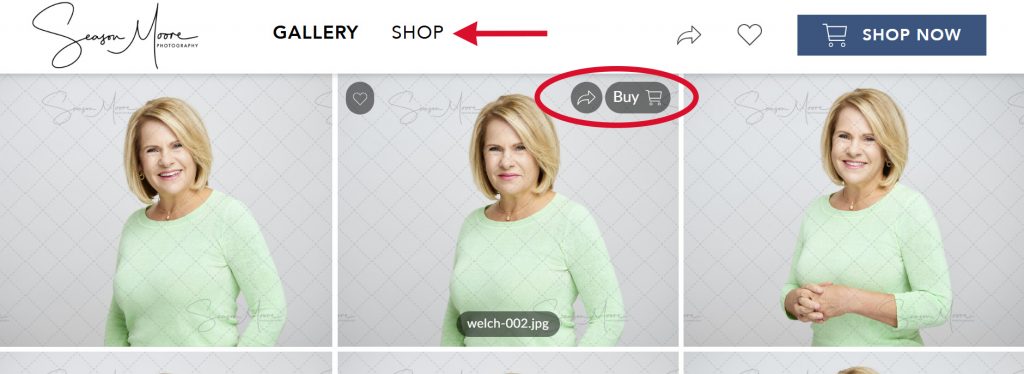
Click on the SHOP link at the top of the page, or the BUY button when viewing an image.
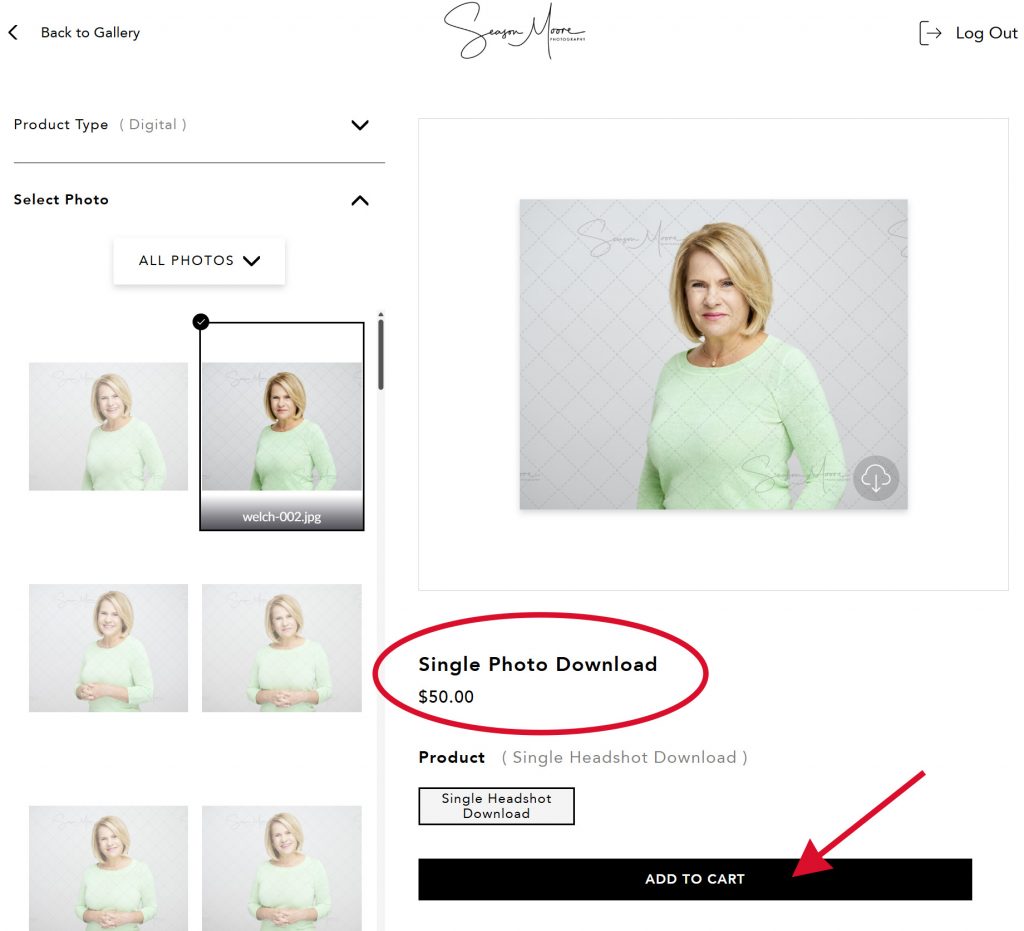
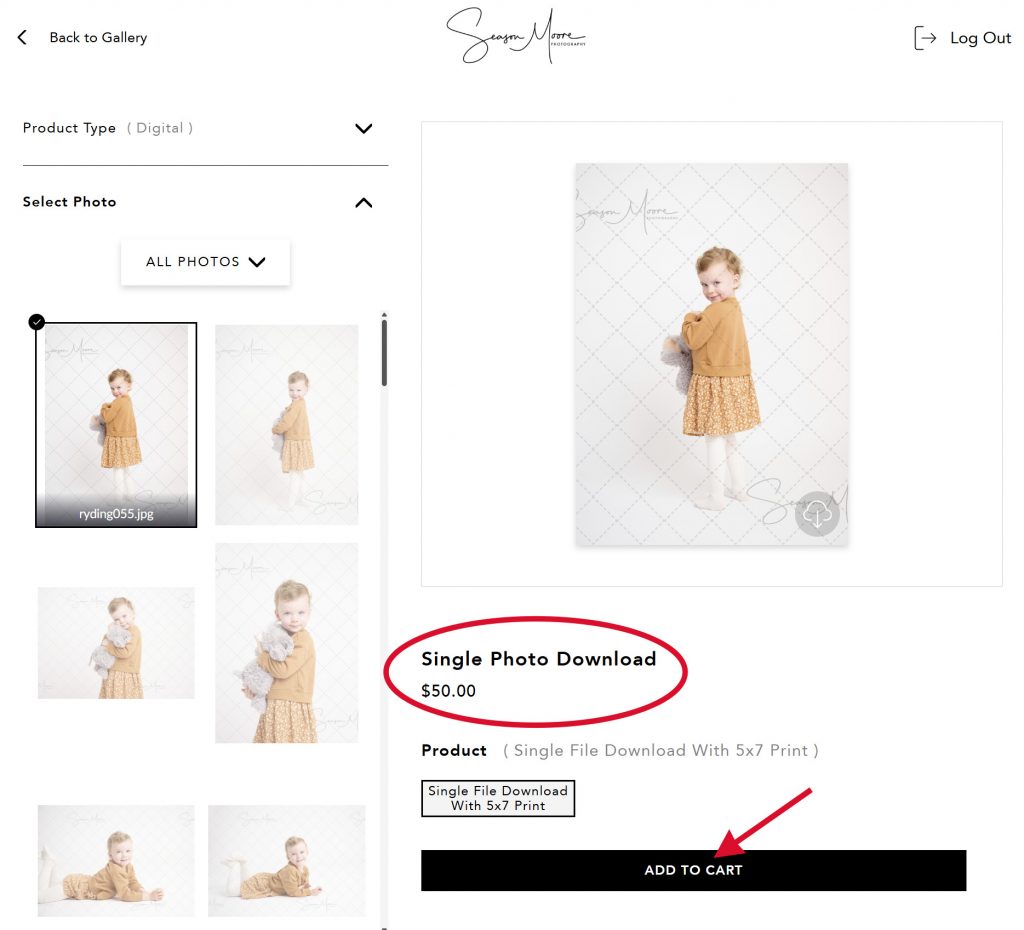
Add your selection to the cart as a Single Photo Download.
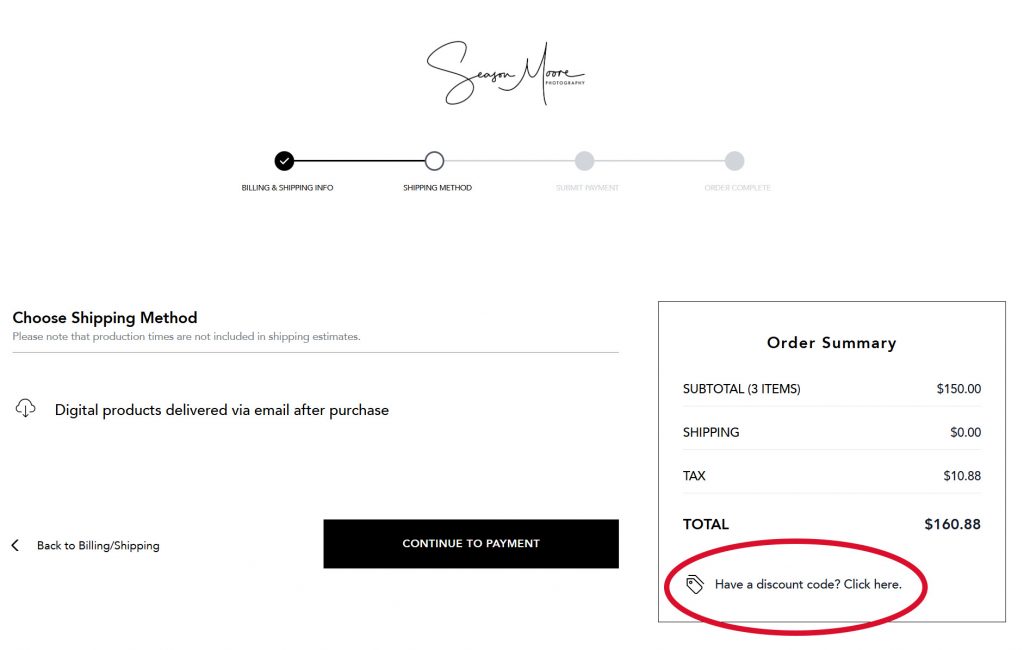
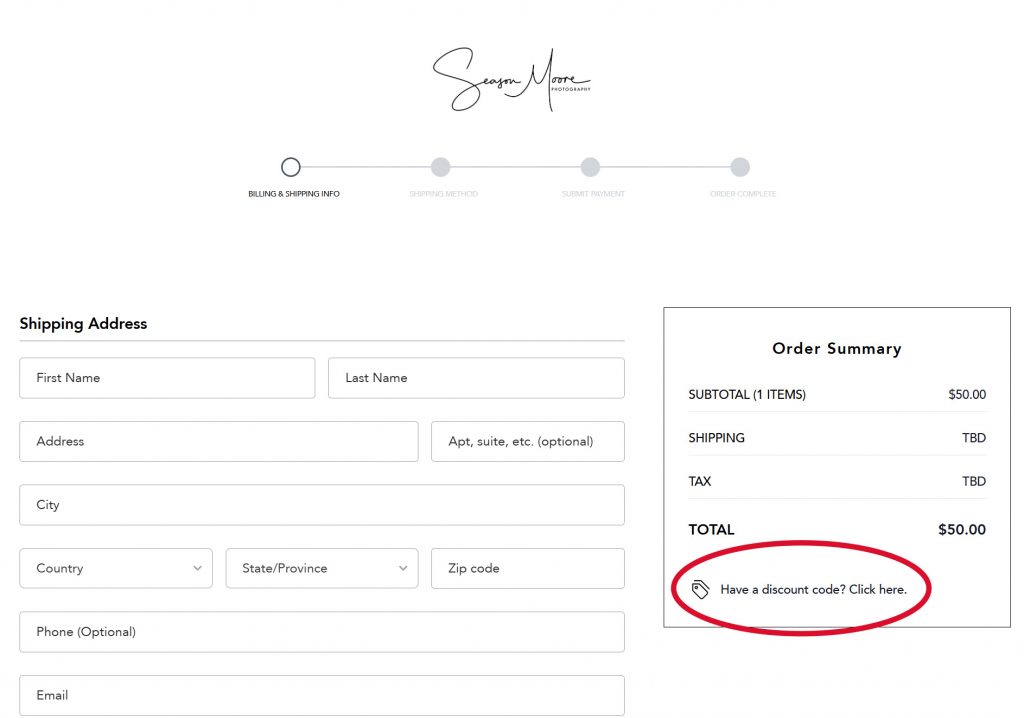
Enter your coupon code at checkout. Please double-check your selection, each coupon can only be used once.
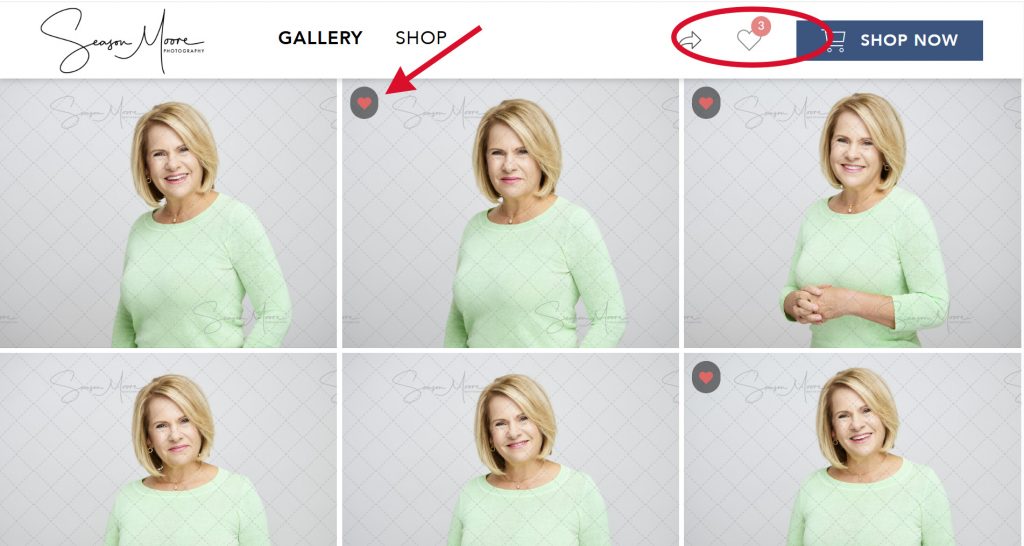
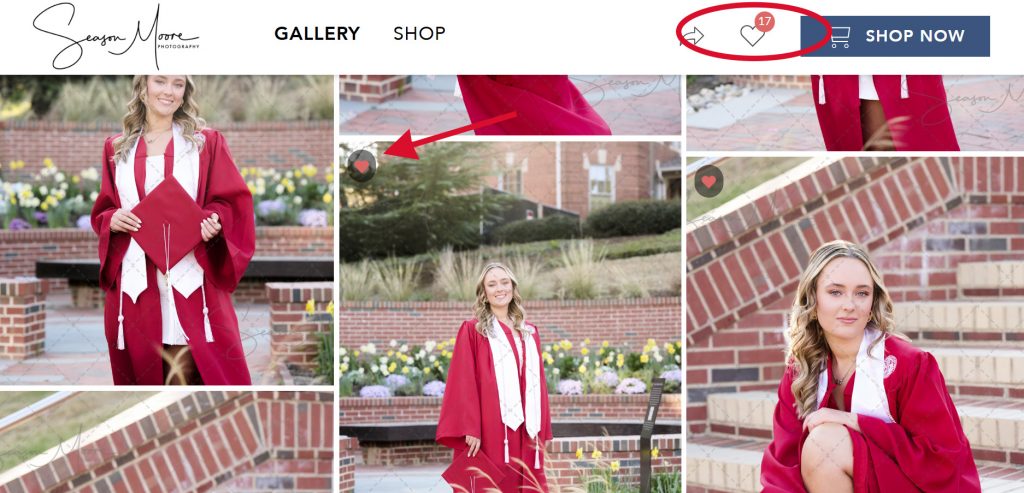
There are options to purchase more images individually, or in collections on the SHOP page. While browsing your images, click the heart image in the upper left corner to save to your favorites. You can share your favorites to friends and family, or send directly to me (we often are our worst critics!). To view your gallery of favorites, click on the heart icon on the top of the page.
Branding Session:
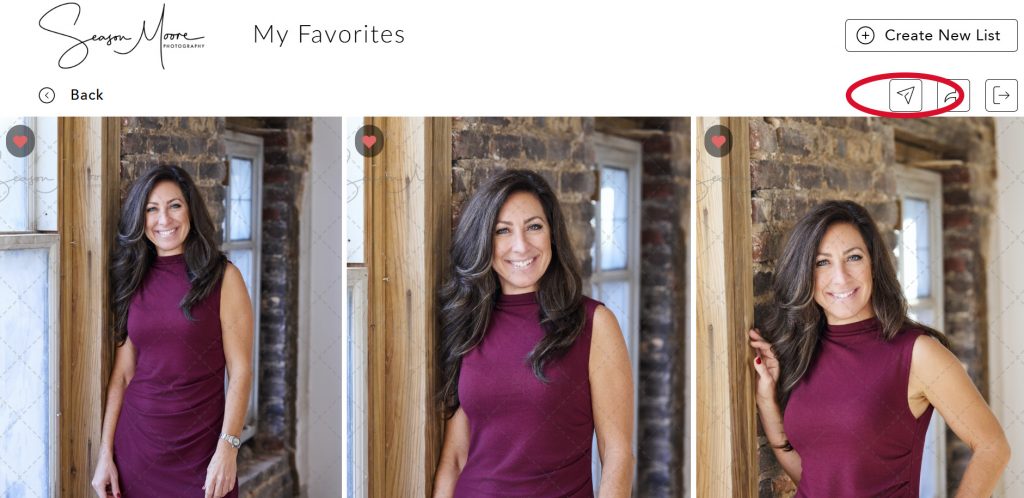
Browse your gallery and select your favorites by clicking the heart icon on the top left of each image. To view your favorites, click on the heart icon on the top of the page. From this page you can share your favorites with friends and family.
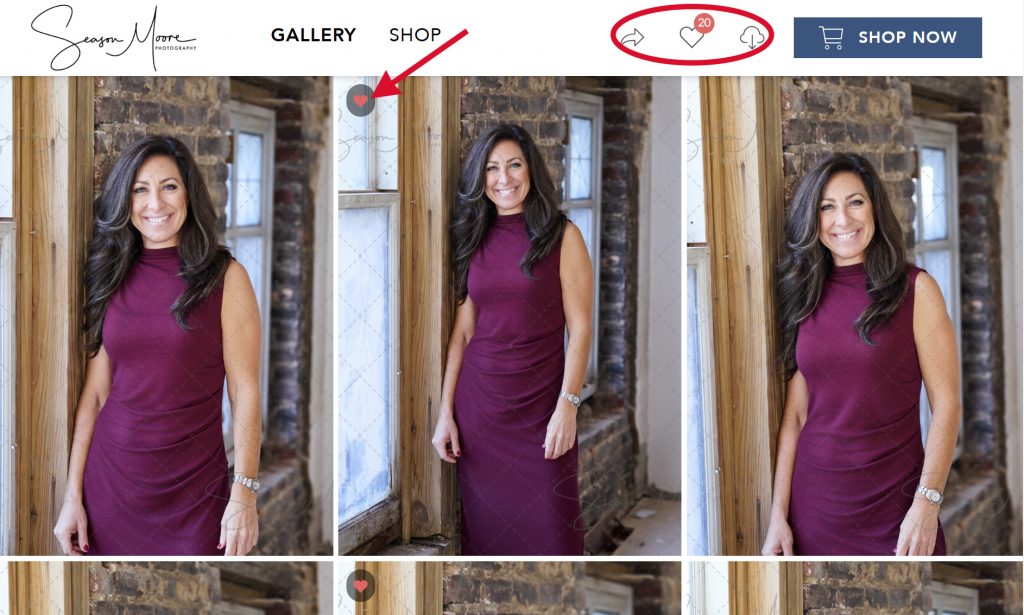
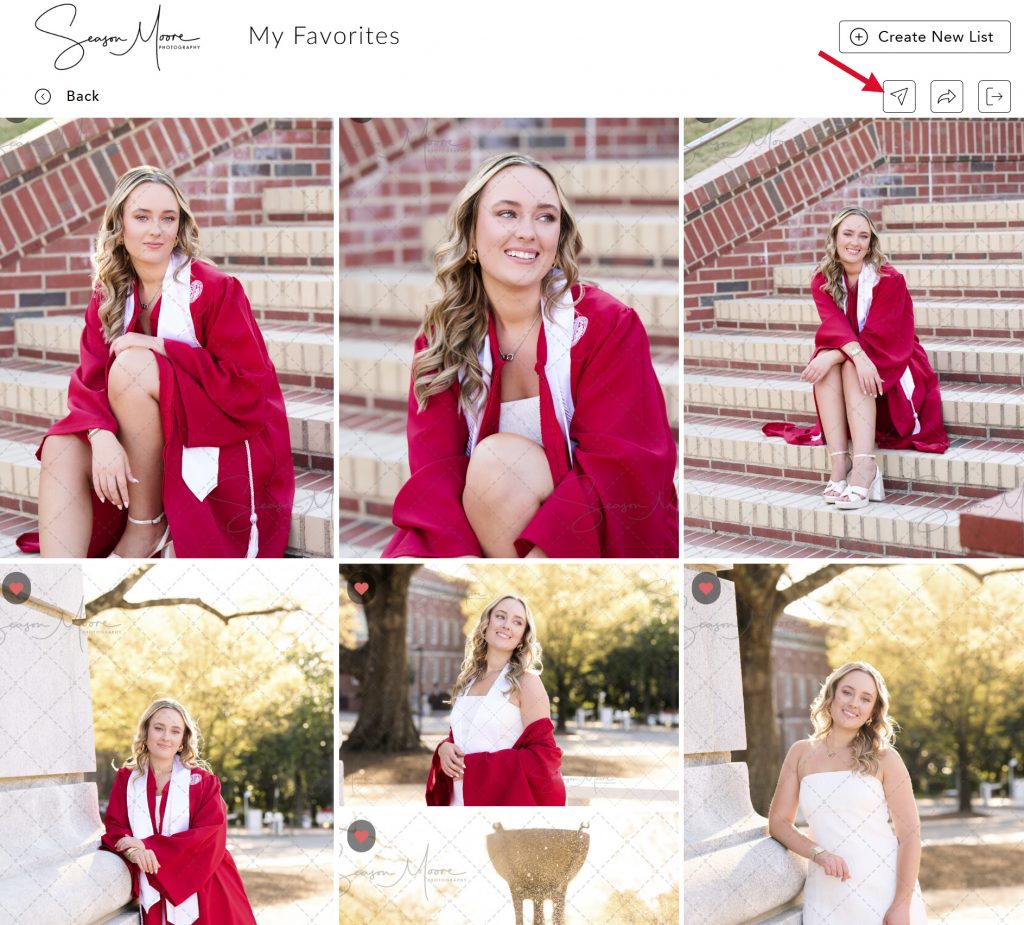
Once you have narrowed your favorites down to the correct amount, click on the first arrow icon on the top of the page to send the gallery to me. Use the notes area to mention any additional editing that may need to be done, questions that you may have, etc. Once the editing is complete, I will send you a zip file download of your final images!
Portrait Mini or Half Session:
Click on the SHOP link at the top of the page, or the BUY button when viewing an image.
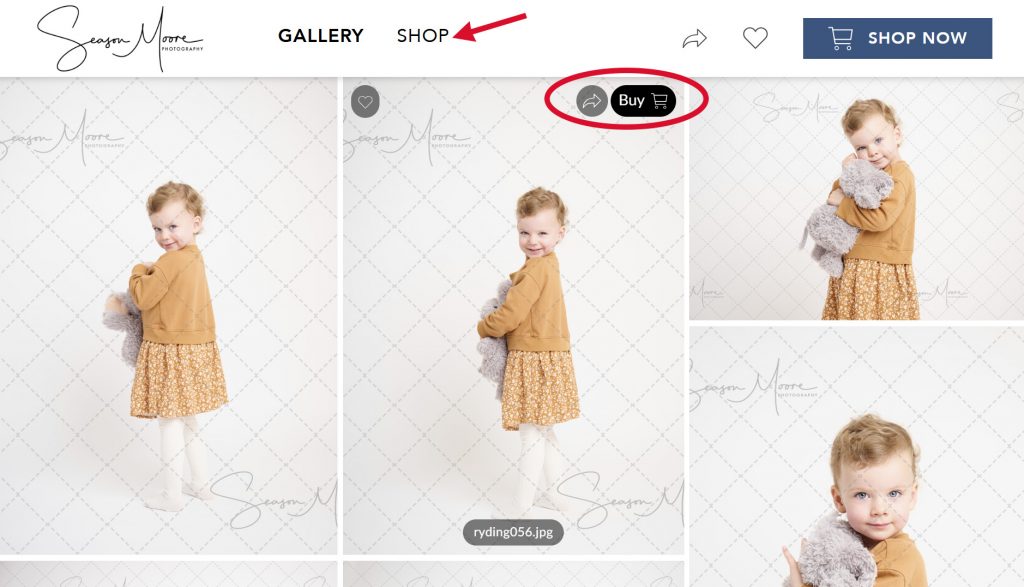
Add your selection to the cart as a Single Photo Download.
Enter your coupon code at checkout. Please double-check your selection, each coupon can only be used once.
Portrait Full Session:
Browse your gallery and select your favorites by clicking the heart icon on the top left of each image. To view your favorites, click on the heart icon on the top of the page. From this page you can share your favorites with friends and family.
Once you have narrowed your favorites down to the correct amount, click on the first arrow icon on the top of the page to send the gallery to me. Use the notes area to mention any additional editing that may need to be done, questions that you may have, etc. Once the editing is complete, I will send you a zip file download of your final images!
Express and Signature Senior Session:
Click on the SHOP link at the top of the page, or the BUY button when viewing an image.
Add your selection to the cart as a Single Photo Download.
Enter your coupon code at checkout. Please double-check your selection, each coupon can only be used once.
Luxe Senior Session:
Browse your gallery and select your favorites by clicking the heart icon on the top left of each image. To view your favorites, click on the heart icon on the top of the page. From this page you can share your favorites with friends and family.
Once you have narrowed your favorites down to the correct amount, click on the first arrow icon on the top of the page to send the gallery to me. Use the notes area to mention any additional editing that may need to be done, questions that you may have, etc. Once the editing is complete, I will send you a zip file download of your final images!
Please reach out if you have any questions at all!